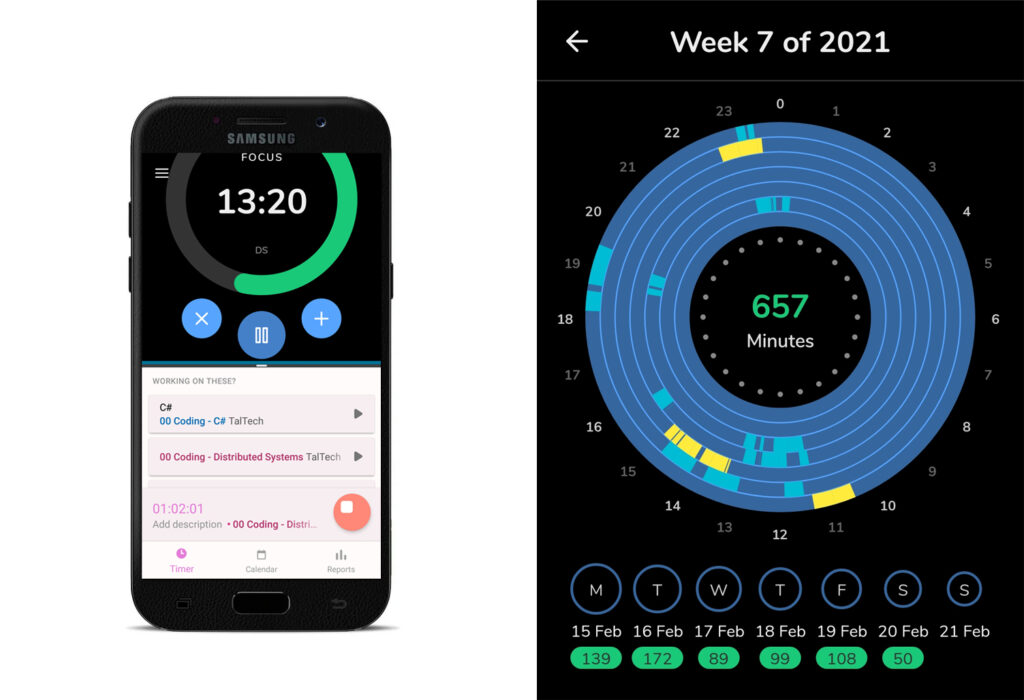
This is overview of my last week’s coding activity. My own projects, escapades and experiments are not included. School only.
On the right is my last week in Focusmeter app. Blue area is time spent doing Distributed Systems, yellow is JavaScript. On the left is my effort to use Toggl and Focusmeter together (using split screen) so that I would not forget to turn Toggl off.
I would really like to use Toggl for time tracking as a part of my workflow but I always forget it running. Also my productivity is so much better with (which ever) pomodoro timer that arranges my time into logical work and break units. But the problem with pomodoro is that pomodoro is not for tracking but just time management. So at the moment there is no good solution for me 🙂
Update
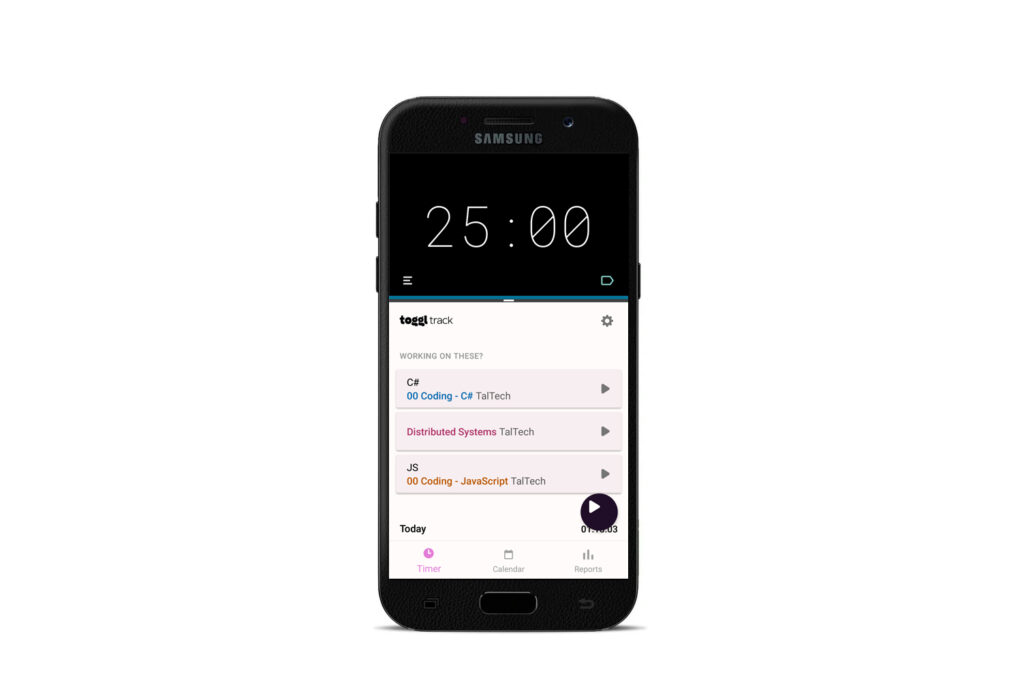
It looks better with Goodtime app for pomodoro functionalities.
By using Samsung split screen I can run 2 apps at the same time. Above is Goodtime pomodoro app and below I have Toggl. It was a good discovery for me that for project whole pink box is actually clickable for starting (no need to tap the small play button).
It also works similarly in Filezilla. If you have questions, please leave comments 🙂
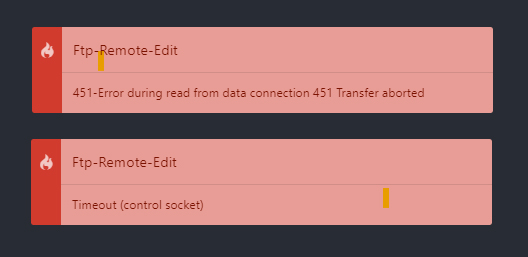
Atomftp-remote-edit started to break my files occasionally due to the issue that this Atom package uses ftp in passive mode by default which tries to open too many ports at once. For example if I had large css file then it uploaded only half of it and gave me following 451 and timeout errors:
451-Error during read from data connection 451 Transfer aborted
Timeout (control socket)
Atom errors
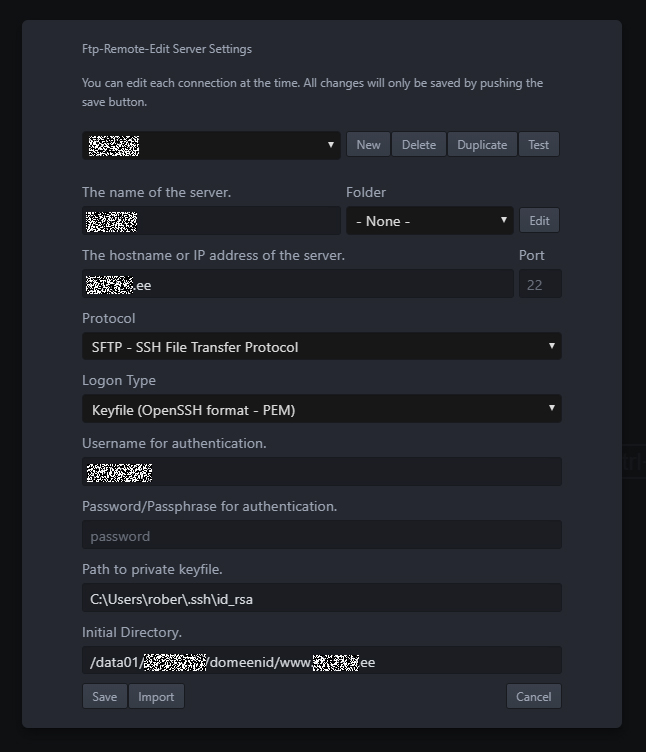
Suggestion from my webhosting provider was to use SSH instead of FTP but configuring it is kind of difficult for the first time. So here it is:
Atom SSH config
Hostname is your hostname
username is your username (username@hostname.ee)
If you have not configured password then you can just leave it empty.
key is private key (not *.pub (public) but the other file) – I wasted some time here.
Initial directory path I got from my webhosting service provider. Without the path to initial directory you will probably get to the root from where it is not possible to navigate anywhere.
I think most difficult in Windows was to find the private key file (and initially to create one). But there are enough tutorials available on how to generate SSH keys. My own notes (which I use quite often) are here.
In Ubuntu the key file is located in …
What I use it for
I have gotten used to using Atom for small edits that need to be done here and there. For example my school dashboard – if I need to add something there then I open the folder in Atomftp-remote-edit, do the edits, ctrl+s and it is live without having any files in my computer.
Also, when I need to work with data in Excel and need to upload it as csv file to the server then instead of saving csv on my computer I do textjoin in excel and copy-paste the content to csv file on server through ftp-remote-edit.
I switched from 1Password password manager to Bitwarden about year ago. Simply because Bitwarden is free while the cost of 1Password was 72 dollars per year (Family version).
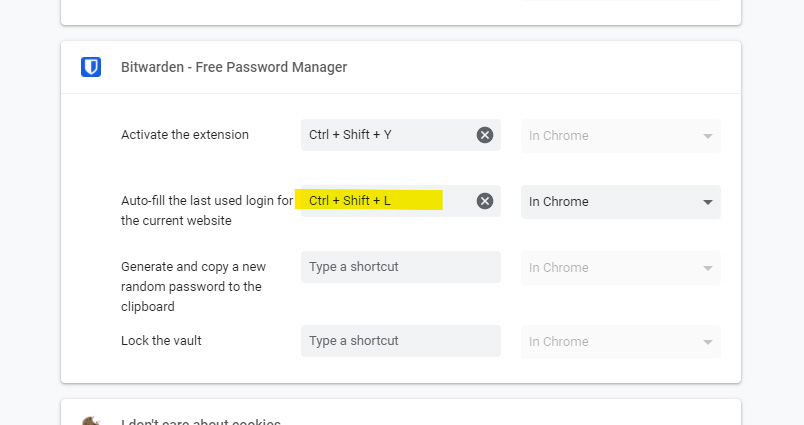
Recently browser autofill shortcut stopped working. Today I figured out how to get it work again.
On Chrome open chrome://extensions/shortcuts on your browser and fill the shortcut yourself.
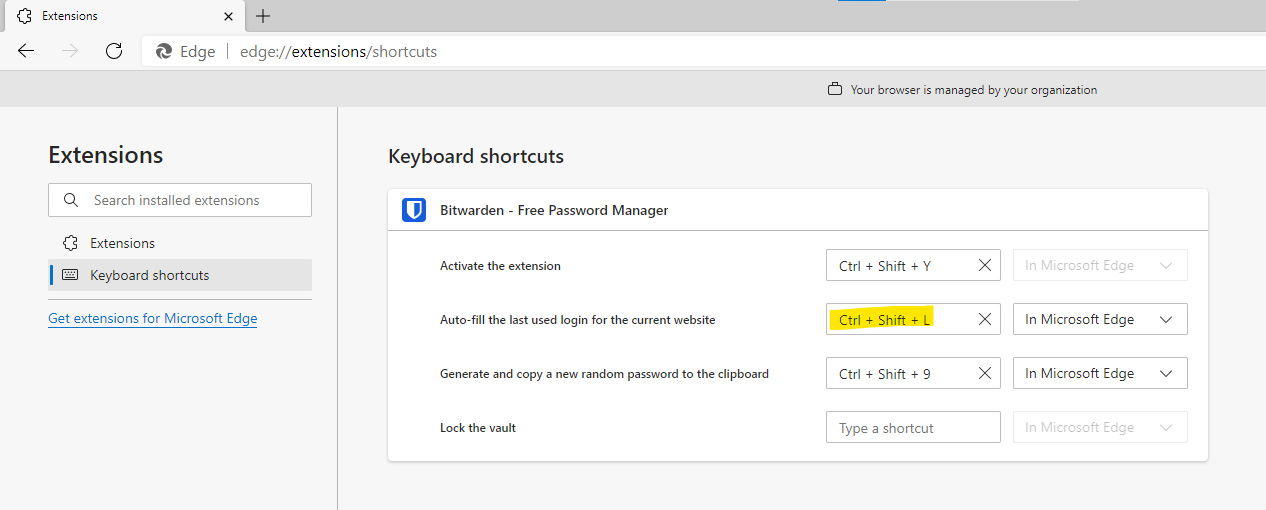
Edge
If you use Edge browser then open edge://extensions/shortcuts and fill the shortcut yourself.
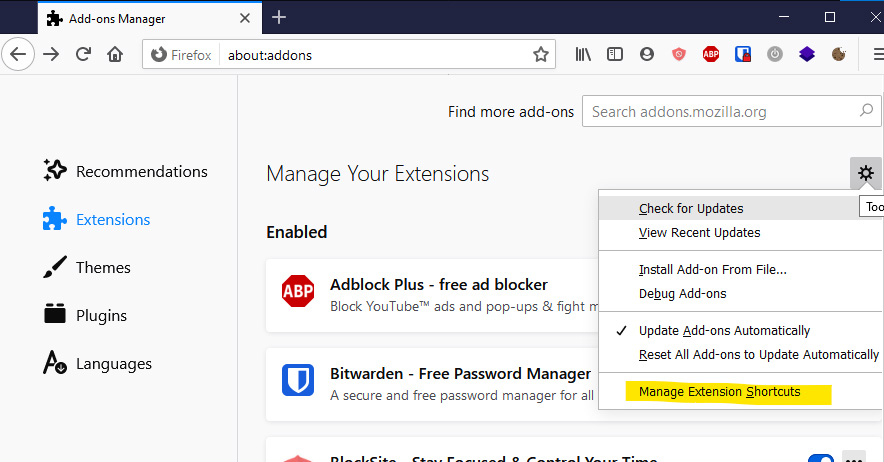
Firefox
If you use Firefox then go to about:addons → Extensions → from the settings icon you can get to manage extension shortcuts.
It is very convenient to autofill logins with ctrl + shift + L. If you have multiple accounts on some webservices (for example you have several Twitter accounts) then you can rotate between these by repeating the shortcut.
Selleks, et mul oleks hajussüsteemide aines oma dev andmebaas… OK, alustame sellest, et mul ei olnud esialgu ettekujutust, et mis on Docker ja kuidas VPSi kasutamine käib. Võtsin mõne päeva sellest nädalast, mis eksamite ja uue semestri vahele jäi ning natuke uurisin.
Nüüd ma olen seal kohas, et mul on Hetzneris see kõige odavam VPS (1 vCPU, 2 GB RAM, Helsinki), kus jookseb tavaline Ubuntu Server, kuhu olen installinud Dockeri ja selles jookseb MS SQL server. Seni identne selle barreli omaga, mis Käveril. Ma ei ole selle eest mitte midagi maksnud, sest lihtne Google otsing andis 24 eurose kupongi veebruari lõpuni 🙂 Aga, see maksaks muidu 2.96 eurot (koos maksudega!). Nagu, misasi see on!? Kuidas see saab nii odav olla 😀
This post is for Django notes for myself. I am trying to get “Hello world” deployed on one of the local webhosting providers’ server and then move along to Laravel.
Kuna TalTech spordiklubi kodulehekülg on kõige hullem soperdis, mida ma kasutama olen pidanud ja ma seda infot ise otsisin üsna kaua, siis panen siia õigete kodulehtede viited.
How I willingly locked myself out of Facebook (and you can too).
I always regret the time I have spent on social media. I deleted my Twitter (permanently) few months ago. I stopped watching Instagram stories and haven’t seen any this year. I have deleted my Facebook account once (few years ago) and now is the second time to take a break. Because I really need (and would prefer) to study.
Unsplash saatis enda eelmise aasta kokkuvõtte ja mind väga vaimustab, kuidas 7 aastaga entusiasmi pealt lihtsast Tumblri blogist midagi sellist tehnoloogiliselt lahedat välja kasvab. Nende esimese lehe postitus Hacker Newsis (30.05.2013) endiselt kihvt lugemine (ka sellest, kuidas v1 kriitika mõnikord on väga mööda).
Kolmapäeval käisin Python Coding Clubis vaatamas Mikk Meerentsi presentatsiooni Sportliost. Ta on alates 2014 samamoodi õhina pealt üksi teinud enamvähem nende oskustega, mis ta sealt kolmapäevadel õppinud on. See on jällegi huvitav perspektiiv, et kõik on võimalik.